
Business Email Setup Checklist: What to Do Before You Start Sending
Setting up business email is more than creating inboxes. If configured incorrectly, your emails may land in spam, fail to deliver, or damage your domain reputation.
Before you start sending proposals, invoices, or marketing campaigns, follow this business email setup checklist to protect your credibility.
1. Choose a Professional Email Platform
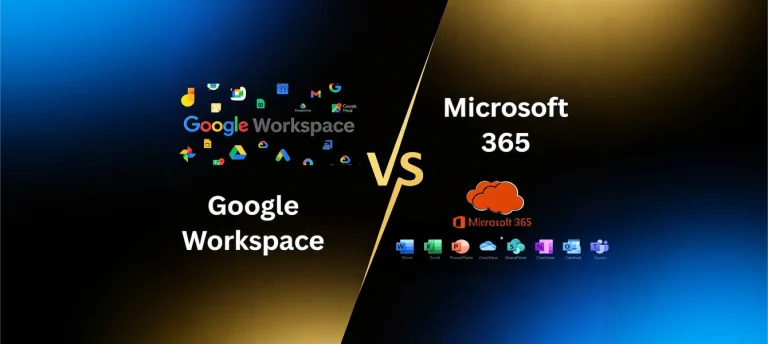
Use a reliable provider such as Google Workspace or Microsoft 365.
Avoid basic hosting email or free personal email accounts for business communication. Professional platforms offer better security, reliability, and deliverability.
2. Verify Your Domain Ownership
Your email provider will require DNS verification to confirm you own the domain.
This step ensures that your email service is properly authorised to send messages from your domain.
3. Configure MX Records Correctly
MX records tell the internet where to deliver incoming email.
Incorrect MX setup can result in:
- Emails not arriving
- Bounce errors
- Delayed delivery
Double-check these records before going live.
4. Set Up SPF Record
SPF identifies which servers are allowed to send email from your domain.
Without SPF, your emails are more likely to be flagged as suspicious.
5. Enable DKIM Authentication
DKIM digitally signs your emails to prove they have not been altered.
This improves trust and deliverability.
6. Configure DMARC Policy
DMARC works with SPF and DKIM to protect your domain from spoofing.
It also provides reporting so you can monitor misuse.
7. Enable Two-Factor Authentication
Every business email account should use two-factor authentication.
This prevents unauthorised access if passwords are compromised.
8. Create Standard Email Addresses
Establish structured inboxes such as:
- info@yourdomain.com
- sales@yourdomain.com
- accounts@yourdomain.com
This improves organisation and professionalism.
9. Set Up Email Signatures Properly
A professional email signature should include:
- Full name
- Job title
- Company name
- Phone number
- Website URL
Consistent branding strengthens credibility.
10. Warm Up Your Domain
If your domain is new, do not immediately send large email volumes.
Start gradually to build domain reputation. Sudden spikes can trigger spam filters.
11. Test Before Sending Important Emails
Send test emails to different providers and check:
- Inbox placement
- Spam folder appearance
- Authentication status
Testing prevents embarrassing delivery failures.
Final Thoughts
Business email setup is not just technical configuration. It protects your brand reputation and communication reliability.
Following this checklist ensures your emails reach clients, maintain security, and support your business growth from day one.
Email credibility begins before the first message is sent.